
LED vs LCD vs Projector: The Complete Meeting Room Display Technology Guide for 2026
The Meeting Room Display Dilemma: Why Most Buyers Start with the Wrong Question
An IT director at a financial services firm in Frankfurt called us last quarter with a familiar problem. His company was building a new 14-person boardroom. The architect had specified a 130-inch display wall. The AV consultant had quoted a laser projector—”best value for the size,” he said. The CEO had visited a competitor’s office and seen a seamless LED video wall—”I want that,” he said. And the CFO had asked the question that every CFO asks: “Why can’t we just use a big TV?”
Three stakeholders. Three different technologies. Three different price points. And nobody was asking the right question.
The right question is not “Which display technology is best?” The right question is: “What display technology is best for THIS room—its size, its lighting, its use cases, and its budget over the next five years?”
A 4-meter boardroom with controlled lighting and a 15,000 budget has a different answer than a 12-meter training room with floor-to-ceiling windows and a 60,000 budget. And both have a different answer than a 6-meter executive briefing room where the CEO hosts investor calls and the screen must look flawless on camera.
This guide compares the three dominant meeting room display technologies — fine-pitch LED video wall, LCD video wall, and laser projector — across eight dimensions that actually matter to the person writing the check. It includes real specification data, 5-year total cost of ownership calculations, brightness requirements by room type, pixel pitch recommendations, and a decision matrix that maps room size and budget to the right technology.
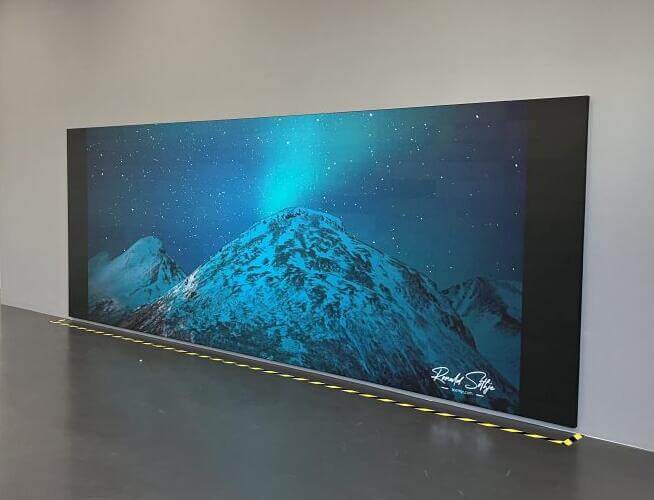
What Is a Fine-Pitch LED Video Wall? How It Works for Meeting Rooms
A fine-pitch LED video wall is a modular display surface built from individual LED tiles—typically 500×500mm or 500×1000mm cabinets—each containing thousands of surface-mounted diode (SMD) or chip-on-board (COB) LED packages. The tiles lock together on a precision frame to form a seamless screen of virtually any size and aspect ratio.
“Fine-pitch” refers to pixel pitches at or below 2.5mm (P2.5), with the premium tier at P0.9–P1.5. At P1.2, a 130-inch 16:9 LED wall delivers approximately 3,072 × 1,728 pixels — higher than 4K — with no bezels.
Why LED matters for meeting rooms
| Characteristic | What It Means in a Meeting Room |
| Seamless | No physical bezels between tiles. Spreadsheets and video calls don’t have black lines cutting through faces. |
| Brilho | 600–1,500 nits (cd/m²). Readable in direct sunlight through floor-to-ceiling windows. |
| Contrast | 5,000:1 to 10,000:1. Dark slides, black backgrounds, and video calls with dark environments look correct. |
| Modular | If a module fails, you replace a 500×500mm tile in under 60 seconds — no need to disassemble the wall. |
| Lifespan | 80,000–100,000 hours at full brightness. At 8 hours/day, that’s 27–34 years. |
| Color uniformity | Factory-calibrated to ΔE < 2 across the entire wall. Brand colors match on screen. |
What LED costs in a meeting room context
| Pixel Pitch | Typical Size | Resolution (16:9) | Price Range (USD) | Best For |
| P0.9 | 110–130″ | ~4K | 45,000–80,000 | Executive briefing rooms, <3m viewing |
| P1.2 | 120–140″ | ~4K+ | 35,000–60,000 | Boardrooms, 3–5m viewing |
| P1.5 | 130–165″ | ~1080p+ | 25,000–45,000 | Large boardrooms, 4–6m viewing |
| P1.8 | 140–180″ | ~1080p | 18,000–32,000 | Conference rooms, 5–8m viewing |
| P2.5 | 165–220″ | ~1080p | 10,000–20,000 | Training rooms, 6–10m viewing |
Prices include cabinets, receiving cards, sending card, frame, installation, and calibration for a standard 16:9 wall. Regional variation applies.
What Is an LCD Video Wall? The Pros and Cons of Seamless vs. Seamed Displays
An LCD video wall is an array of professional-grade LCD panels—typically 46, 49, 55, or 65 inches each—mounted in a grid on a wall bracket. The panels are driven by a controller that splits a single input across all screens.
The bezel reality
LCD panels have physical borders — bezels — around each screen. These are measured in millimeters:
| Bezel Type | Bezel Width (per side) | Visible Gap (2 panels) | Visual Impact |
| Standard | 3.5mm | 7.0mm | Obvious black cross pattern |
| Narrow | 1.8mm | 3.6mm | Noticeable on white content, ignorable on video |
| Ultra-narrow | 0.88mm | 1.76mm | Subtle but visible on spreadsheets and white slides |
| OLED (zero-bezel) | 0mm | ~0mm | Seamless — but see cost below |
Why the bezel matters in a meeting room: During video calls, a 3.5mm bezel cuts through the face of the person on camera—every time. On spreadsheets, cells are split by black lines. On white presentation slides, the grid pattern is obvious. Ultra-narrow bezels reduce this, but the human eye can detect gaps as small as 0.3mm on bright, high-contrast content at typical boardroom viewing distances (3–5 meters).
LCD video wall pricing
| Configuration | Total Size | Resolution | Bezel | Price Range (USD) |
| 2×2 (55″ panels) | ~110″ | ~1920×1080 | 3.5mm | 12,000–20,000 |
| 2×2 (55″ panels) | ~110″ | ~1920×1080 | 0.88mm | 20,000–35,000 |
| 3×2 (55″ panels) | ~165″ | ~2880×1080 | 1.8mm | 22,000–40,000 |
| 2×2 (65″ OLED) | ~130″ | ~3840×2160 | ~0mm | 40,000–65,000 |
Prices include panels, wall mount, controller, cabling, and installation. Excludes calibration and content management system.
Where LCD still wins
LCD video walls have three genuine advantages in meeting rooms:
- Cost per square meter: For rooms above 130 inches where P1.5 LED is out of budget, a 2×2 LCD wall at $15,000 looks “good enough” to most non-technical stakeholders.
- No pixel pitch anxiety: LCD panels have fixed resolution. You don’t need to calculate viewing distance vs. pixel pitch — the manufacturer did that for you.
- Familiarity: IT departments know how to manage LCD panels. They have vendors, warranties, and replacement processes. LED feels “new” to many IT teams.
What Is a Laser Projector? Why It Still Dominates Budget-Conscious Buyers
A laser projector uses a solid-state laser light source (replacing the old lamp) to project an image onto a screen surface. In meeting rooms, the standard configuration is an ultra-short-throw (UST) projector mounted directly above a fixed-frame screen, or a standard-throw projector ceiling-mounted 3–4 meters from a wall screen.
Why laser changed the projector market
Laser replaced lamp-based projection starting around 2018, and the impact was significant:
| Metric | Old Lamp Projector | Laser Projector |
| Light source lifespan | 2,000–3,000 hours (then 50% brightness loss) | 20,000–30,000 hours |
| Brightness degradation | 50% at 2,000 hours | ~10% at 10,000 hours |
| Startup time | 30–60 seconds warm-up | 3–5 seconds |
| Noise | 35–40 dB fan | 28–32 dB fan |
| Color accuracy | Rec.709 at best | Rec.709 to DCI-P3 |
| Maintenance | Lamp replacement every 2 years | Filter cleaning every 2,000 hours |
Laser solved the two worst things about projectors in meeting rooms: the warm-up delay and the lamp replacement cycle. It did not solve projection’s fundamental limitations—contrast, ambient light performance, and screen surface dependency.
Projector pricing for meeting rooms
| Type | Brightness (lumens) | Typical Size | Resolution | Price Range (USD) |
| UST laser, standard | 3,500–5,000 | 100–120″ | 1080p | 3,000–7,000 |
| UST laser, 4K | 4,000–6,000 | 120–150″ | 4K UHD | 6,000–12,000 |
| Standard-throw laser | 5,000–8,000 | 120–180″ | 4K UHD | 8,000–18,000 |
| High-end laser (large venue) | 8,000–12,000 | 150–250″ | 4K UHD | 15,000–35,000 |
Prices include projector and installation. Screen sold separately (800–3,500 for fixed-frame or motorized).
Where projectors still win
- Size-to-cost ratio: A 180-inch projected image costs
10,000–15,000. A 180-inch LED wall at P1.8 costs25,000–35,000. For large training rooms where image perfection is not critical, projectors remain the budget king. - Portability: In multi-use rooms, a motorized screen + projector can disappear into the ceiling. LED and LCD walls are permanent.
- Familiarity for AV teams: Many AV integrators have 15 years of projector installation experience. The mounting, cabling, and calibration processes are well-established.
Side-by-Side Comparison: LED vs LCD vs Projector (8 Dimensions)
This is the comparison matrix that should be in every meeting room display RFP. Each dimension is scored on its impact in a real meeting room environment, not in a showroom.
Dimension 1: Seamlessness
| Technology | Seamlessness | Score |
| Fine-pitch LED | Physically seamless—no bezels, no gaps | ★★★★★ |
| LCD video wall (0.88mm) | Near-seamless—visible on white content | ★★★☆☆ |
| LCD video wall (3.5mm) | Visible grid — obvious on faces and slides | ★★☆☆☆ |
| Laser projector | Seamless (single image) — but limited by screen surface texture | ★★★★☆ |
Dimension 2: Contrast Ratio
| Technology | Contrast Ratio | What You See |
| Fine-pitch LED | 5,000:1 – 10,000:1 | Deep blacks, correct dark-slide rendering, video calls look natural |
| LCD video wall | 1,000:1 – 4,000:1 | Grey blacks, dark content looks washed out |
| OLED video wall | 100,000:1+ | Excellent — but at 2–3× the price of LCD |
| Laser projector | 1,000:1 – 2,500:1 | Grey blacks, dark rooms required for acceptable contrast |
In practice: The contrast difference is most visible during video calls. Dark backgrounds on Zoom/Teams calls show as dark grey on LCD and projector, near-black on LED. This is the single most common complaint from executives who switch from projector to LED.
Dimension 3: Brightness & Ambient Light Performance
| Technology | Brilho | Ambient Light Performance |
| Fine-pitch LED | 600–1,500 nits | Readable in direct sunlight. No washout. |
| LCD video wall | 350–700 nits | Acceptable in normal office light. Washes out in direct sun. |
| Laser projector | 3,000–8,000 lumens* | Washes out with any ambient light. Requires dimming or blinds. |
Note: Lumens and nits are not directly comparable. A 5,000-lumen projector on a 150-inch screen produces approximately 250–350 nits of perceived brightness—less than a standard LCD panel.
Dimension 4: Lifespan & Total Cost of Ownership
| Technology | Lifespan | Degradation | Replacement Cycle |
| Fine-pitch LED | 80,000–100,000 hrs | ~10% brightness loss at 30,000 hrs | Module-level (if ever) |
| LCD video wall | 50,000–60,000 hrs | ~15% brightness loss at 30,000 hrs | Panel-level (every 5–7 years) |
| Laser projector | 20,000–30,000 hrs | ~30% brightness loss at 20,000 hrs | Projector-level (every 5–7 years) |
At 8 hours of daily use, LED lasts 27–34 years before significant degradation. LCD lasts 17–20 years. Laser projectors last 7–10 years before brightness loss becomes visible.
Dimension 5: Maintenance
| Technology | What Breaks | Maintenance Action | Downtime |
| Fine-pitch LED | Individual module (~rare) | Hot-swap module from front, 60 seconds | < 2 minutes |
| LCD video wall | Panel backlight or controller | Remove and replace entire panel | 2–4 hours + panel procurement |
| Laser projector | Laser module or color wheel | Remove projector, send for service | 3–7 business days |
The maintenance story that IT directors care about: When a display fails mid-meeting, LED can be fixed in under 2 minutes by an on-site technician. LCD requires sourcing a replacement panel and 2–4 hours of installation. Projectors typically need to be unmounted and sent to a service center — leaving the room without a display for days.
Dimension 6: Size Flexibility & Scalability
| Technology | Size Flexibility | Aspect Ratio | Max Practical Size |
| Fine-pitch LED | Unlimited — modular | Any (16:9, 21:9, 32:9, custom) | 100″+ to video wall scale |
| LCD video wall | Grid-based (2×2, 3×2, etc.) | Limited by panel grid | ~220″ (4×4 of 55″) |
| Laser projector | Screen-size limited | Fixed (16:9 or 2.35:1) | ~250″ (with high-end model) |
Dimension 7: Installation Complexity
| Technology | Installation Scope | Typical Timeline | Site Requirements |
| Fine-pitch LED | Frame + cabinets + wiring + calibration | 2–3 days | Power, data, wall structural support |
| LCD video wall | Mount + panels + controller + calibration | 1–2 days | Power, data, wall structural support |
| Laser projector | Mount + screen + cabling + calibration | 0.5–1 day | Power, ceiling mount, screen wall |
Dimension 8: Meeting System Integration (Teams/Zoom/BYOD)
| Technology | Integration | BYOD | Camera Placement |
| Fine-pitch LED | Direct HDMI/USB-C/SDI input; supports 4K | Native—any laptop plugs in | Camera can mount above or be embedded |
| LCD video wall | Via controller box | Controller-dependent | Camera mounts above wall |
| Laser projector | HDMI input | Native | Camera mounts above screen |
All three technologies accept standard HDMI input. The difference is in processing latency: LED walls typically have < 1 frame of latency, LCD controllers add 1–3 frames, and projectors add 1–2 frames. For normal meeting use, this is imperceptible. For interactive whiteboard applications or gaming-style use cases, LED has the edge.
Pixel Pitch Decoded: How Close Is Too Close for LED in a Meeting Room?
If you’ve decided on LED, the next question is pixel pitch. This is the single most expensive specification in LED procurement — and the one most commonly overspecified.
The viewing distance rule
The industry-standard rule is: Minimum viewing distance (meters) ≈ Pixel pitch (mm) × 1,000 ÷ 1,000
Simplified: Minimum viewing distance (m) = Pixel pitch (mm)
| Pixel Pitch | Min. Viewing Distance | Typical Meeting Room Match |
| P0.9 | 0.9m | Huddle rooms, small briefing rooms (4–6 people) |
| P1.2 | 1.2m | Executive boardrooms (8–12 people, closest seat 3m) |
| P1.5 | 1.5m | Standard boardrooms (12–20 people, closest seat 4m) |
| P1.8 | 1.8m | Conference rooms (20–30 people, closest seat 5m) |
| P2.5 | 2.5m | Training rooms (30+ people, closest seat 6m) |
The rule that saves you money
If the closest viewer’s eyes are more than 1,000× the pixel pitch away from the screen, nobody in the room will perceive the difference between that pitch and the next finer one.
Example: Closest seat is 4 meters from the screen. That’s 4,000mm. 4,000 ÷ 1,000 = 4.0mm. Any pitch finer than P2.0 is invisible to the closest viewer. P1.5 and P0.9 would look identical to P2.0 at that distance—but cost 2–4× more.
We cover this in detail—with five real project scenarios and price calculations—in our Small Pitch LED Buying Guide.
Pixel pitch recommendation by room size
| Room Type | Room Depth | Screen Size | Recommended Pitch | Rationale |
| Huddle room | 3–4m | 65–86″ | P0.9–P1.2 | Closest viewer < 1.5m, fine pitch visible |
| Executive boardroom | 5–7m | 110–130″ | P1.2–P1.5 | Closest viewer 3–4m, P1.5 is sweet spot |
| Standard conference room | 7–10m | 130–165″ | P1.5–P1.8 | Closest viewer 4–5m, P1.8 sufficient |
| Training room | 10–15m | 165–220″ | P2.0–P2.5 | Closest viewer 6m+, P2.5 invisible |
| Auditorium | 15m+ | 220″+ | P2.5–P3.9 | Large size, distance hides pixel structure |
Brightness Reality Check: Why 350 Nits Is Not Enough for a Sunlit Boardroom
Brightness is the specification that most commonly gets wrong-specced—usually because the procurement team doesn’t account for ambient light conditions.
The ambient light problem
| Room Type | Ambient Light (lux) | Screen Required Brightness |
| Interior room, no windows | 100–300 lux | 350+ nits (LCD is fine) |
| Interior room, artificial lighting | 300–500 lux | 500+ nits |
| Room with windows, north-facing | 500–1,000 lux | 700+ nits (LCD struggles) |
| Room with windows, south-facing (direct sun) | 1,000–3,000+ lux | 1,000+ nits (LED required) |
| Glass-walled room/glass corner office | 2,000–5,000 lux | 1,200+ nits (LED only) |
What this means in practice
LCD video walls max out at 500–700 nits. In a glass-walled boardroom with afternoon sun, the screen will be partially unreadable for 2–3 hours per day. There is no software fix for this — it’s a hardware limitation.
Laser projectors are the worst performer in bright rooms. A 5,000-lumen projector on a 150-inch screen produces approximately 250–300 nits of perceived brightness. In any room with windows, you’ll need to close blinds or dim lights during the meeting. This is why many boardrooms with projectors have motorized blinds as part of the AV system — the projector requires them.
Fine-pitch LED at 800–1,500 nits is the only technology that maintains full readability in direct sunlight. This is the primary technical reason LED has replaced LCD and projector in premium boardrooms—not resolution, not bezels, but brightness.
The brightness decision table
| Room Condition | LCD | Projector | LED |
| Windowless room | ✅ Sufficient | ✅ Sufficient | ✅ Overkill |
| North-facing windows | ⚠️ Marginal | ⚠️ Marginal | ✅ Comfortable |
| South-facing windows, direct sun | ❌ Insufficient | ❌ Insufficient | ✅ Required |
| Glass walls/corner office | ❌ Insufficient | ❌ Insufficient | ✅ Required |
The Hidden Cost Nobody Talks About: Maintenance Over 5 Years
Most display RFPs compare the purchase price. Very few compare the 5-year total cost of ownership, which is where the real budget impact lives.
5-Year TCO comparison: 130-inch display in a standard boardroom
| Cost Category | Fine-Pitch LED (P1.5) | LCD Video Wall (2×2, 55″, 0.88mm) | Laser Projector (4K UST) |
| Hardware | $35,000 | $28,000 | $8,000 |
| Installation | $3,000 | $2,000 | $1,500 |
| Screen / Mount | Included | Included | $2,500 (fixed-frame screen) |
| Controller / Processor | Included | $3,000 | Included |
| Year 1 Total | $38,000 | $33,000 | $12,000 |
| Year 2: Maintenance | $0 | $200 (calibration) | $300 (filter + cleaning) |
| Year 3: Maintenance | $0 | $500 (panel replacement) | $500 (filter + cleaning) |
| Year 4: Maintenance | $200 (cleaning) | $200 (calibration) | $800 (filter + cleaning) |
| Year 5: Maintenance | $0 | $500 (panel replacement) | $1,200 (laser module service) |
| 5-Year TCO | $38,200 | $34,400 | $14,800 |
The hidden costs that don’t show up in the TCO table
- Downtime cost: When a projector fails mid-week, the room is unusable for 3–7 business days. If that room is reserved for executive briefings, the opportunity cost of a single missed meeting can exceed the projector’s purchase price.
- Content adaptation cost: Projectors require dimmed rooms, which means presentation slides need higher contrast, larger fonts, and brighter backgrounds. Over 5 years, the design overhead is real.
- Calibration drift: LCD panels shift color over time. A 2×2 wall that starts uniform will show visible color differences between panels within 18–24 months. Recalibration costs
500–1,500 per session.
- Spare parts inventory: LED walls need 5–10% spare modules (
200–500 each). LCD panels need spare panels (1,500–3,500 each). Projectors need a backup unit (3,000–8,000) if downtime is unacceptable.
When projector TCO actually wins
For rooms where the display is used less than 3 hours per day (e.g., a secondary conference room, a training room used twice a week), the projector’s lower upfront cost means its 5-year TCO stays lower than LED even with higher maintenance. The math flips when the room is in use 6+ hours per day, because projector degradation accelerates with usage hours while LED degradation is negligible.
Decision Matrix: Which Technology Fits Your Meeting Room Size and Budget?
This is the framework we use when clients ask us “what should we buy.” It maps room size (depth) and budget to the recommended technology.
Decision matrix: Room depth × Budget
| Room Depth | Budget < $15K | Budget 15K–30K | Budget 30K–50K | Budget $50K+ |
| 3–5m (huddle / small briefing) | 75″ LCD panel | 86″ LCD panel or UST projector | P1.2 LED wall (110″) | P0.9 LED wall (110–130″) |
| 5–7m (executive boardroom) | UST projector (120″) | LCD wall 2×2 (110″, 0.88mm) | P1.5 LED wall (130″) | P1.2 LED wall (130–140″) |
| 7–10m (standard conference) | UST projector (150″) | LCD wall 2×2 (110″) + projector fallback | P1.8 LED wall (165″) | P1.5 LED wall (165″) |
| 10–15m (training room) | Standard-throw projector (180″) | LCD wall 3×2 (165″, 1.8mm) | P2.5 LED wall (180″) | P1.8 LED wall (180–200″) |
| 15m+ (auditorium) | Standard-throw projector (220″) | High-lumen projector (250″) | P2.5 LED wall (220″) | P2.0 LED wall (220″+) |
How to use this matrix
- Measure your room depth — from the screen wall to the farthest seat.
- Set your budget — including installation, not just hardware.
- Cross-reference the cell — that’s your recommended technology.
- Adjust for lighting — if the room has direct sunlight, move one column to the right (you need brighter = LED).
- Adjust for usage — if the room is used 6+ hours/day, move one column to the right (you need durability = LED).
Three scenarios where the matrix says “don’t buy LED”
- Small room + low budget: A 4-meter huddle room with a $10,000 budget is better served by an 86-inch LCD panel than a P2.5 LED wall. The LED wall’s seamlessness doesn’t matter at that viewing distance with that budget.
- Large room + low budget: A 12-meter training room with a
12,000 budget is better served by a high-lumen laser projector than a low-spec LED wall. At 12 meters, P2.5 pixel pitch is invisible, but a12,000 LED wall at that size would be under-spec’d.
- Multi-use room with portability need: A room that converts between meeting, training, and event use benefits from a motorized screen + projector that disappears into the ceiling. LED walls are permanent.
Factory Insight: 3 Things Display Manufacturers Don’t Tell You About Driver ICs and Cabinet Precision
Most display comparison guides stop at the spec sheet. But the spec sheet doesn’t tell you about the three things that determine whether your LED wall looks great in year 3 or looks like a patchwork of mismatched panels.
1. Driver IC quality determines color stability—and it’s invisible on the spec sheet
The driver IC is the chip that controls current to each LED. There are two tiers:
| Tier | Brands | What Happens Over 3 Years |
| Premium | Macroblock, ICN (Chipone) | Color drift < 2%, uniformity maintained |
| Budget | Unbranded/generic | Color drift 5–15%, visible mottling on dark content |
A P1.5 LED wall with budget driver ICs will show visible color patches within 24 months. A P1.5 wall with premium ICs will look the same in year 5 as it did on day one. The spec sheet says “P1.5” for both. The price difference is typically 15–25%.
What to ask your supplier: “What driver IC brand are you using, and can you provide the IC datasheet?” If the answer is vague, the IC is budget tier.
2. Cabinet flatness tolerance determines seam visibility—and it’s measured in tenths of millimeters
LED cabinets are aluminum frames. When you bolt four cabinets together, the seams between them should be invisible. This depends on flatness tolerance — how perfectly flat the cabinet mounting surface is.
| Flatness Tolerance | What You See |
| ≤ 0.1mm | Seam invisible at any distance |
| 0.1–0.2mm | Seam visible on bright white content at < 2m |
| 0.2–0.5mm | Seam visible as a dark line at < 5m |
| > 0.5mm | Seam visible as a step between cabinets |
The problem: Most suppliers don’t publish flatness tolerances. The spec sheet says “precision die-cast aluminum cabinet” — which tells you nothing. The difference between a 0.1mm tolerance cabinet and a 0.3mm tolerance cabinet is invisible on paper but obvious in your boardroom.
What to ask your supplier: “What is the cabinet flatness tolerance?” If they don’t know or won’t say, assume it’s 0.3mm or worse.
3. Aging test duration predicts DOA (dead-on-arrival) rates
Before shipping, every LED cabinet should go through a continuous aging test — running full-white, full-color, and stress patterns for an extended period. This catches solder defects, dead pixels, and thermal issues before the product reaches your wall.
| Aging Test Duration | Field Failure Rate (first year) |
| 72+ hours (industry standard) | < 0.5% |
| 24–48 hours | 1–2% |
| < 24 hours or none | 3–5%+ |
What to ask your supplier: “What is your standard aging test duration per cabinet?” The answer should be 72 hours minimum. Some premium manufacturers do 120 hours. If the answer is “we do a visual QC check”—that”‘s not an aging test, and you can expect 3–5% of modules to have issues within the first year.
Eyecatchmedia Fine-Pitch LED Solutions: Built for Meetings That Matter
Eyecatchmedia’s fine-pitch LED video walls are engineered for the meeting room environments where display quality is non-negotiable—executive boardrooms, investor briefing rooms, control rooms, and corporate headquarters.
What we specify as standard (and why it matters)
| Specification | Eyecatchmedia Standard | Industry Typical |
| Driver IC | Macroblock / ICN premium | Mixed or budget |
| Cabinet flatness | ≤ 0.15mm | 0.2–0.4mm |
| Aging test | 72 hours continuous | 24–48 hours |
| Color calibration | ΔE < 2, factory-calibrated | ΔE < 3–5 |
| Front maintenance | All fine-pitch models | Optional/mixed |
| Spare module ratio | 5% standard, 10% for critical rooms | 2–3% |
Product lineup for meeting rooms
| Model | Pixel Pitch | Best For | Brilho |
| EC-FP0.9 | P0.9 | Executive briefing rooms, < 3m viewing | 1,000 nits |
| EC-FP1.2 | P1.2 | Boardrooms, 3–5m viewing | 1,000 nits |
| EC-FP1.5 | P1.5 | Standard boardrooms, 4–6m viewing | 1,200 nits |
| EC-FP1.8 | P1.8 | Conference rooms, 5–8m viewing | 1,200 nits |
| EC-FP2.5 | P2.5 | Training rooms, 6–10m viewing | 1,500 nits |
All models feature front-serviceable modules (swap in < 60 seconds), common cathode driver technology (< 150W/m² power consumption), and Microsoft Teams / Zoom / BYOD compatibility via standard HDMI and USB-C inputs.
Contact our team for a site assessment and pixel pitch recommendation tailored to your room dimensions and viewing distances.
FAQ: LED vs LCD vs. Projector—Questions from Real IT Managers
1. Is LED really worth 3× the price of an LCD video wall for a boardroom?
It depends on the room. If your boardroom has glass walls with direct sunlight, LED is the only technology that will be reliably readable—LCD and projector will wash out. If your boardroom is interior with controlled lighting, a 0.88mm LCD video wall at one-third the price will look good enough. The 3× premium buys you: seamlessness, brightness, contrast, and 15+ years of zero-lamp-replacement maintenance. Whether that’s “worth it” depends on how visible the room is to external stakeholders.
2. How long does a laser projector actually last before the image gets dim?
A typical laser projector loses approximately 10% of its brightness at 10,000 hours and 30% at 20,000 hours. At 8 hours of daily use, that’s 3.4 years to 10% loss and 6.8 years to 30% loss. By year 7, the image will be noticeably dim—especially in brighter rooms. At that point, the projector needs replacement, not repair.
3. Can I mix LED and LCD in the same room?
Technically yes, but it’s not recommended. The color temperatures, brightness levels, and contrast ratios are too different. If you have an LED video wall in a boardroom and LCD monitors on the side walls, the side monitors will look washed out by comparison. It’s better to match the technology across the room.
4. What pixel pitch do I need for a 6-meter boardroom with the closest seat 3 meters from the screen?
P1.5 is the sweet spot. At 3 meters, the human eye cannot resolve pixels finer than 1.5mm. P1.2 would look identical but cost 25–40% more. P1.8 would be marginally visible on fine text at 3 meters. P1.5 is the defensible choice for a 3-meter minimum viewing distance.
5. Do LED video walls generate heat in a small meeting room?
Yes, but less than you’d expect. Modern common-cathode fine-pitch LED consumes 100–150W/m². A 130-inch P1.5 wall is approximately 3.3m², so total power is 330–500 W—comparable to a desktop computer. The room’s HVAC should handle this without issue. Older common-anode LED consumed 200–350W/m², which could raise room temperature by 2–3°C. If you’re buying LED today, specify common cathode.
6. Can I install an LED video wall myself?
No. Fine-pitch LED installation requires a precision frame, cabinet alignment to ≤ 0.15mm tolerance, receiving card configuration, sending card setup, and color calibration across all modules. A DIY installation will result in visible seams, color mismatch, and potential module damage. Installation by a certified integrator takes 2–3 days for a standard boardroom wall and should be included in the project quote.
7. What’s the lifespan difference between LED, LCD, and projector in real meeting room use?
At 8 hours of daily use (approximately 2,000 hours/year):
| Technology | Years to Noticeable Degradation | Years to Replacement |
| Fine-pitch LED | 15+ years (10% brightness at ~15 years) | 25–34 years (rarely replaced) |
| LCD video wall | 8–10 years (15% brightness + color shift) | 12–15 years |
| Laser projector | 5–7 years (30% brightness loss) | 7–10 years |
8. We have a $20,000 budget for a 7-meter conference room. What should we buy?
A 7-meter room with the closest seat at 4–5 meters and a 20,000 budget: Your best option is a 150-inch UST 4K laser projector with a fixed-frame screen (8,000–12,000) plus a 2×2 55-inch LCD video wall for a secondary display (8,000–10,000). The projector handles the large-format presentations; the LCD wall handles video calls where facial detail matters. LED at P1.8 for 150 inches would cost 25,000–30,000 — outside your budget. If you can stretch to 25K, the LED wall is the better long-term investment.
Key Takeaways
| Question | Answer |
| Which technology is seamless? | LED (no bezels). LCD has visible bezels. Projector is seamless but screen-limited. |
| Which is brightest? | LED (600–1,500 nits). LCD (350–700 nits). Projector (effectively 250–350 nits). |
| Which lasts longest? | LED (80,000–100,000 hrs). LCD (50,000–60,000 hrs). Projector (20,000–30,000 hrs). |
| Which is cheapest? | Projector (3K–18K). LCD (12K–40K). LED (10K–80K depending on pitch). |
| Which is easiest to maintain? | LED (60-second module swap). LCD (2–4 hour panel swap). Projector (3–7 day service). |
| Which is best for sunny rooms? | LED (only option for direct sunlight). |
| Which is best for budget large rooms? | Projector (lowest cost per inch above 150″). |
| Which is best for premium boardrooms? | LED (seamless, bright, long-lasting, premium look). |
The one-sentence decision framework: If your room has sunlight, is used 6+ hours/day, or needs to impress external stakeholders → LED. If your room is dark, used occasionally, and budget-constrained → projector. If you’re in between → LCD video wall with the narrowest bezel you can afford.