
How Many Nits? LED Brightness Guide for Indoor & Outdoor (2027)
How many nits an LED screen needs depends on what its light is fighting. Indoors: 600–1,200 for lobbies and churches, 1,500–2,500 behind street-facing glass. Outdoors: 4,500–6,500 roadside, 5,500–7,000+ in direct sun. Buy 20–30% above the number, because every panel dims from day one — and anything else is a guess you pay for twice.
Two screens I think about more than I should. Same building, same budget, installed the same month. The first sits behind the ground-floor showroom’s street-facing glass; at noon it vanishes — the window shows a crisp reflection of the bus stop and a ghost where the ad should be. The second hangs in the lobby upstairs, which goes moody after dark; at 9 p.m. it glares like a lighthouse, bleaching the stone, the seating, the guests.
Both screens were the right size. Both ran decent content. Both cost real money.
Both bought the wrong nits.
LED screen brightness in nits decides whether the thing works at all — more than pitch, more than cabinet brand — and it is also the most faked spec in the industry. Peak quoted instead of sustained. Measured on a full-white test frame instead of real content. Copied from a brochure instead of read off a meter. This is the LED display brightness guide I wish those two buyers had been handed: what a nit is, how the number gets faked, the ladder of honest ranges, the decay nobody quotes, and how to test a claim before the deposit leaves.
What a Nit Is, and Why Lumens Answer a Different Question
A nit is one candela per square meter — about one candle’s worth of glow across a square meter, as your eye reads it from in front. It measures how bright a surface looks, not how much light it throws. That is the entire nits vs lumens debate in one line, and LED display buyers fall into it every week.
Lumens count total light output, in every direction. Projectors advertise lumens because the projector isn’t what you look at — its light lands on a separate surface, and total output is the only honest number the box can quote. An LED display is the surface. Your eye reads intensity per square meter, so the honest unit is the nit. For scale: a 3,000-lumen projector filling a 100-inch screen works out to roughly 300–350 nits on that surface, which is why “3,000 lumens” and “3,000 nits” describe wildly different machines. No single conversion exists — the answer shifts with area, gain and angle, which is exactly why the conversion charts floating around online are mostly garbage.
Comparing a display’s lumens to a display’s nits is comparing a bucket to a pressure. And a bench rule worth keeping: if a quote for an LED display arrives specified in lumens, that vendor has never measured a panel in their life.
| Nits | Lumens | |
| What it measures | Brightness of a surface, per m² | Total light emitted, every direction |
| Perché | The screen is the surface your eye reads | The light lands on a separate surface |
| Convertible? | No single factor — depends on area, gain, angle | Same problem, from the other side |
Three Ways the Number Gets Faked
Two quotes landed on my desk last month. Both panels promised 6,000 nits. One dimmed itself to roughly 3,500 within an hour of sitting in direct sun. The other never came close to 6,000 with real video on it. Neither vendor lied the way you’d expect — the numbers were measured, just under conditions the panel will never meet again once it leaves the rack. The lies live in the measurement method, not the digits:
1. Out-of-box peak versus sustained-after-calibration. Every panel we ship gets calibrated — per-module gain leveled, color tracked, uniformity corrected — and that process costs 10–20% of the raw out-of-box brightness. It has to: you are pulling the hot modules down to match the average ones. Some vendors quote the pre-calibration number, which is real the way a car’s top speed with no passengers, no fuel and no headwind is real. Ask one question before you sign: is the figure measured before or after factory calibration? The pause tells you everything.
2. The full-white lie. The standard test pattern is 100% white, which drives every diode at maximum duty cycle. Real content almost never does that — a football match, a lyric slide, a retail loop averages somewhere around 20–40% of full-white output. A “6,000 nits” figure captured on a full-white frame is a number your audience will never see, because full white is a lab condition, not content. We quote what a panel sustains playing normal material. Yes, that makes our spec sheet look worse than a competitor’s. I have made peace with that.
3. Temperature. Hot panels dim themselves to survive — the driver throttles current as the module heats. A unit tested at 25°C in an air-conditioned QC room will not hold that number inside a sealed cabinet in August, when board temperatures push past 55°C. If the vendor cannot tell you the test temperature, assume they tested in the most flattering season.
(One habit worth stealing from our QC floor: ask for the calibration report itself. A vendor who can produce one probably measured honestly.)
The Brightness Ladder
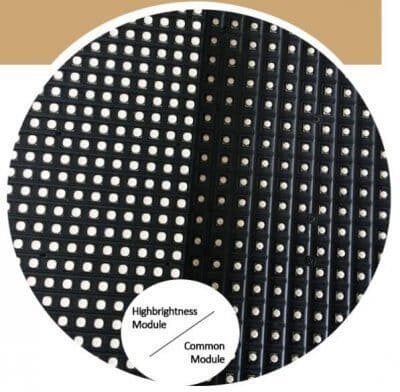
Six placements, six ranges. Two ambient anchors place you: an overcast day runs about 2,000 lux, full sun 50,000–100,000 lux, a lit interior a few hundred. The screen doesn’t fight the sun — it fights what the sun and the room leave behind. These come off our racks and out of real rooms; treat them as working numbers, not marketing tiers:
| Placement | Nits | Why — what the eye fights |
| Dim rooms, broadcast, control rooms | 300–800 | Dark-adapted eyes; low-gray quality matters more than peak |
| Indoor lobby, church, retail floor | 600–1,200 | A few hundred lux of indoor light — presence without glare |
| Indoor window / street-facing | 1,500–2,500 | Overcast daylight alone runs ≈2,000 lux, and glass doubles the fight with reflections |
| Semi-outdoor, under awning | 2,500–4,000 | The roof blocks direct sun, not the open sky flooding everything around it |
| Outdoor roadside | 4,500–6,500 | Full sun at 50,000–100,000 lux; the panel runs wide open most of the day |
| Direct sun, shallow viewing angle | 5,500–7,000+ | Sun near the viewing axis washes out anything dimmer |
Treat the ranges as ranges, not laws. Two things move you up a rung. Angle: a screen viewed head-on can sit at the bottom of its band; read from a shallow angle — a roadside wall drivers sweep past — it wants the top or more. Glass: it adds a second opponent, the brighter world reflecting behind the viewer’s shoulder. Cloud cover helps less than you’d hope: overcast 2,000 lux leaves a white poster glowing near 500 nits of reflected glare, which your window screen must clear.
More is not a strategy. A lobby wall driven at 2,500 nits isn’t “better”; it’s a squint machine with a power bill.
The Two-Direction Mistake
Brightness is the one spec buyers get wrong in both directions, and the quote looks identical either way.
Too dark first, because it’s the commoner burn. An indoor poster screen rated 700 nits — a lovely number for a dim lounge — gets mounted behind west-facing glass. From mid-afternoon the window is a mirror, and behind the mirror the ad becomes a rumor. Money spent, zero impressions — and no warranty covers it, because nothing broke. The poster guide works through that case.
Too bright is the louder failure. A restaurant mounts a 1,500-nit wall spec’d for daytime glass, no light sensor, running full output at 11 p.m. The room turns lighthouse; diners squint over dessert and the wall washes out the interior it was bought to flatter. Complaints, not covers. Within a month someone walks over and switches it off — a five-figure screen living as a lamp nobody wants on.
Both directions cost the same, and both trace back to one number read one way. The spec sheet won’t warn you — it only knows how bright the panel can get, never whether that’s right for your room.
Why Brightness Costs More Than Watts
Brightness is current.
More nits through the same diode means more current, more current means more heat at the module and above all at the power supply, and heat is what quietly kills electronics. Electrolytic capacitors age with temperature — run a supply at its ceiling and its service life roughly halves for every ten degrees you add. That is the entire logic of the 70% rule: spec power supplies to run at or below 70% load at working brightness. A vendor who sizes the PSU at 100% to shave unit cost is selling you brightness on credit.
So the honest version of “does more brightness mean shorter life”: only when the power chain isn’t derated. Derate properly, bin the LEDs, manage thermals, and a 6,000-nit cabinet ages about like a 1,000-nit one. Skip it, and the bright one dies first, from the inside out.
The second coupling is PWM — LEDs dim by switching thousands of times a second, your eye averages the duty cycle, and cameras do not. Brightness and camera behavior are the same conversation: a wall that looks flawless at 800 nits can tear into bands the moment a phone frames it, and the fix lives in scan structure and driver ICs, not the brightness menu. Working power, for the circuit conversation: indoor walls pull roughly 300–700 W/m² at working brightness; every extra thousand nits is watts and heat someone’s breaker pays for.
The Decay Nobody Quotes
Here’s the part most guides skip: the nits on the quote are a day-one number, and they only go down.
Last year we tore down a batch of no-name taxi-top lamps that had failed in the field. Measured against our reference colorimeter, they had lost 20–30% of their original brightness at month twelve.
Twelve months.
Unbinned LEDs, hot-running drivers, no headroom anywhere. Panels built with quality-binned LEDs and sane thermals hold under 8% loss per year in our field data. Same spec sheet, very different screen by year three:
| Lamp grade | Day one | Year 1 | Year 2 | Year 3 | Remaining |
| Quality lamps, <8%/yr (shown at 8%) | 5,000 nits | 4,600 | 4,230 | 3,890 | 78% |
| No-name lamps, 20–30%/yr (shown at 25%) | 5,000 nits | 3,750 | 2,810 | 2,110 | 42% |
Now run the arithmetic that matters. A roadside wall needs 4,500 nits minimum. Buy a panel specified at exactly that, with no-name lamps fading 25% a year, and by year three it outputs about 1,900 — dimmer than the window display down the street. A panel specified at its minimum is a dim panel in year three.
That’s the whole sentence.
The honest rule: buy 20–30% above your minimum need. Roadside minimum 4,500, so order 5,500–5,800 and calibrate down. The headroom does double duty — a wall running at 70% of its ceiling runs cooler, and cooler lamps age slower. Taxi-top screens live the hardest version of this math: full sun, vibration, tiny cabinets; the taxi guide works it through.
The Dimming Floor Matters More Than the Peak (Indoors)
Peak brightness is marketing. The floor is engineering.
Indoors, your screen spends most of its life nowhere near peak — a lobby wall that touches 800 nits at noon runs at maybe 20% after dinner. The number that decides whether your content looks good is what the panel does at 5%. A good wall holds clean grayscale down to 5% of peak and below: dark content at 2 a.m., a studio wall idling, a lobby at dusk. Cheap driver ICs fall apart down there — below roughly 15–20% output they band, posterize, and turn faces into gray blotches. Driver IC quality is a line item most buyers never see on a quote, and it quietly decides whether the wall looks expensive at midnight, when nobody from the vendor is watching.
So run any demo at 5% brightness and look at faces. Skin that posterizes, gradients that band, shadows that crush — that’s a cheap driver IC showing you who it is. Two minutes at 5% has saved more purchases than any peak figure.
Then the sensor. Any venue that sees both sun and midnight — lobbies with glass, storefronts, restaurants with tall windows — needs an auto-dim sensor tied to actual ambient light, non-negotiable in my book. A brightness value locked in a menu is a decision someone made once, on the wrong day, and never revisited. Churches are the classic mixed-light case — congregation comfort, cameras, and a 600–1,200 nit budget; the calibration walkthrough is in the church guide. The indoor fixed LED display line we build is spec’d for exactly this — sensor options and dimming curves mapped per venue.
How to Test a Brightness Claim
Get the spec in writing as sustained nits — after calibration, at the face. Not peak. Not “up to.” Sustained output, measured at the face after the panel has warmed up, ideally in the contract with a remedy attached.
The phone-camera trick doesn’t work. Photograph a 700-nit screen and a 5,000-nit screen and the shots can look identical, because the camera renormalizes every frame to its own mid-gray. Auto-exposure erases the one thing you’re comparing, and HDR invents brightness that was never there. A phone camera is a fine witness for dead pixels and color. For brightness, it’s a liar with a good reputation.
What actually works. A demo in your light conditions: have the vendor dim the showroom to your venue’s lux level, or better, put a sample on your site at the worst hour — 2 p.m. for a glass wall, 9 p.m. for the lobby. Or demand a dated calibration report — a photometer reading at the face, matching the contract spec. Rental stock makes the site test cheap — outdoor rental LED display cabinets that tour festivals can spend a week on your facade before you buy anything.
Three Numbers to Send
One: placement and light conditions — facing direction, glass or open air, awning or sky, the hours the venue runs. Two: dimensione, width by height, in meters. Three: pitch, or the closest viewer distance if you haven’t picked pitch yet.
Tell us where the screen lives — we’ll spec the brightness honestly, including when brighter costs you comfort: https://www.eyecatchmedia.com/contact/
FAQ
Is 2,000 nits enough for outdoor? Under a roof or behind glass, yes — 2,000 clears an awning and holds its own against reflections. In open sky, no. Full sun puts 50,000–100,000 lux on the glass, and 2,000 nits reads as a dim tint under it. Roadside starts at 4,500; direct sun at shallow angles wants 5,500 or more. “Outdoor” isn’t one condition. The sun decides, not the dictionary.
What’s the difference between nits and cd/m²? None. A nit is a candela per square meter with a friendlier name — 5,000 nits and 5,000 cd/m² are the same claim.
Why does my screen look dimmer than the spec? Three ordinary reasons. The quote said peak and you’re watching sustained. The number was measured on full white; you’re watching real content. Or the lamps are aging faster than the brochure implied — no-name lamps can lose 20–30% a year per our teardowns, which puts a three-year-old panel under half its quoted brightness.
Does higher brightness mean a shorter lifespan? Only if the power supplies aren’t derated. Heat kills, and heat comes from PSUs run at their ceiling. A bright cabinet with derated supplies, binned LEDs and working thermals will outlive a dim cabinet built cheaply. Brightness itself is nearly free; brightness bought without thermal headroom is borrowed.
Can a phone camera measure nits? No. Auto-exposure renormalizes every frame, HDR invents its own brightness, and there’s no reference in the shot. A photometer and a dated calibration report are the only instruments I’d take to a payment decision.